
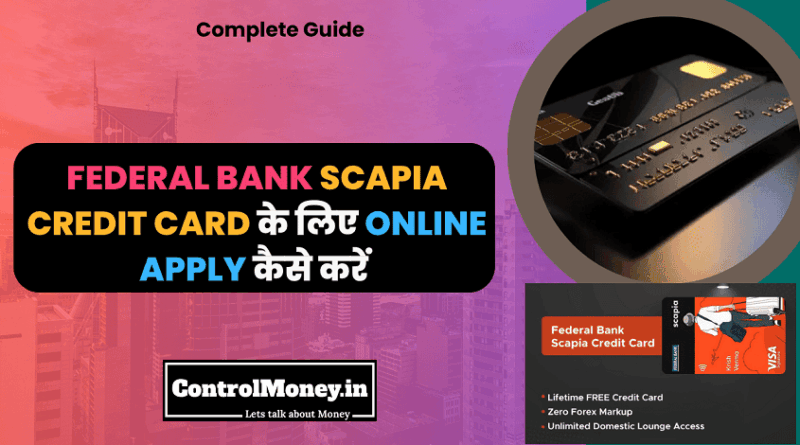
Federal Bank Scapia Credit Card Online Apply कैसे करें – Complete Guide
Federal Bank Scapia Credit Card Online Apply कैसे करें – Complete Guide
Federal Bank Scapia Credit Card Online Apply करना बेहद आसान है – पूरा process 100% digital है और सिर्फ 10-15 मिनट में complete हो जाता है। कोई branch visit नहीं, कोई paperwork नहीं, सब कुछ अपने mobile phone से।
इस comprehensive guide में मैं आपको step-by-step बताऊंगा कि कैसे आप Scapia Card के लिए apply करें, किन documents की जरूरत होगी, और किन बातों का ध्यान रखना चाहिए। तो चलिए शुरू करते हैं!
इस कार्ड से जुडी और जानकारी के लिए यहाँ क्लिक करे – Federal Bank Scapia Credit Card
Apply करने से पहले – Quick Checklist
क्या आप Eligible हैं?
सबसे पहले ये confirm कर लें कि आप Scapia Card के लिए eligible हैं:
Age Requirement:
Minimum: 21 साल
Maximum: 65 साल
Indian citizen या resident होना जरूरी
Income Criteria:
Salaried: कम से कम ₹3-4 lakh annual income
Self-Employed: कम से कम ₹4-5 lakh annual income
Stable income source होना चाहिए
Credit Score:
Minimum: 700+ (acceptable)
Ideal: 750+ (better approval chances)
कोई active defaults या settlements नहीं होने चाहिए
Employment Status:
Salaried: कम से कम 1 साल का job experience
Self-Employed: कम से कम 2 साल का stable business
Students generally eligible नहीं हैं
Residency:
Indian resident होना चाहिए
Permanent address in India
Valid address proof
Federal Bank Scapia Credit Card Review – Features, Benefits and Fees
जरूरी Documents की List
Application start करने से पहले ये documents ready रखें:
Identity Proof:
PAN Card (mandatory – बिना इसके नहीं होगा)
Aadhaar Card (preferred for KYC)
या Passport/Voter ID/Driving License
Address Proof:
Aadhaar Card (best option)
Passport
Utility bills (2 महीने से ज्यादा पुराना नहीं)
Bank statements
Rent agreement (notarized)
Income Proof:
Salaried के लिए:
Latest 3 months की salary slips
Bank statement (6 months – जिसमें salary credit दिखे)
Form 16 (optional but helpful)
Self-Employed के लिए:
ITR (Income Tax Returns – last 2 years)
Bank statements (6-12 months)
Business proof documents
GST registration (if applicable)
Additional Documents:
Passport size photo (digital)
Active mobile number (OTP के लिए)
Valid email ID
Pro Tip: सभी documents की clear photos या scans रखें। Blurry या cut documents reject हो सकते हैं।
Smartphone Requirements
चूंकि Scapia पूरी तरह digital है, आपको चाहिए:
Smartphone (Android 8.0+ या iOS 12+)
Active internet connection
Camera (documents scan करने के लिए)
100-150 MB free storage
इस कार्ड से जुडी और जानकारी के लिए यहाँ क्लिक करे – Federal Bank Scapia Credit Card
Step-by-Step Application Process
Method 1: Scapia Mobile App से Apply करें (Recommended)
ये सबसे easy और fastest method है।
Step 1: Scapia App Download करें
अपने smartphone में Google Play Store (Android) या App Store (iOS) खोलें।
Search bar में “Scapia” type करें।
“Scapia – Travel Credit Card” app ढूंढें (developer: Scapia Technologies)।
“Install” या “Get” button पर tap करें।
App download और install होने तक wait करें (50-80 MB size)।
Security Tip: हमेशा official app ही download करें। Fake apps से बचें। Developer name check करें।
Step 2: App Open करें और Sign Up
App icon पर tap करके open करें।
Welcome screen पर “Get Started” या “Apply Now” button दिखेगा।
अपना mobile number enter करें (10 digits)।
“Send OTP” या “Continue” tap करें।
अपने mobile पर 6-digit OTP आएगा – वो enter करें।
OTP verify होते ही आप app में login हो जाएंगे।
Step 3: Basic Information भरें
अब आपसे कुछ basic details पूछी जाएंगी:
Personal Details:
Full Name (exactly जैसा PAN में है)
Date of Birth (DD/MM/YYYY format)
Gender (Male/Female/Others)
Email Address (active email जो regularly check करते हों)
Residential Address (house number, street, area, city, state, PIN code)
Employment Information:
Employment Type: Salaried या Self-Employed select करें
Company Name (salaried के लिए) या Business Name
Designation या Nature of Business
Monthly Income (in-hand या gross – clearly mention करें)
सारी information carefully भरें। Spelling mistakes avoid करें।
इस कार्ड से जुडी और जानकारी के लिए यहाँ क्लिक करे – Federal Bank Scapia Credit Card
Step 4: PAN Card Verification
ये बहुत important step है।
App में “Enter PAN” या “Verify PAN” option होगा।
अपना 10-digit PAN number enter करें (बड़े अक्षरों में – e.g., ABCDE1234F)।
“Verify” button tap करें।
App automatically Income Tax database से verify करेगा:
आपका name match होना चाहिए
PAN active होना चाहिए
DOB match होना चाहिए
अगर verification successful है, तो green tick दिखेगा।
Common Issues:
“PAN not found” – check करें कि number सही है
“Name mismatch” – exactly वैसा name डालें जैसा PAN में है
“Invalid PAN” – ensure कि PAN active है
Step 5: Aadhaar-based KYC (Instant Verification)
Scapia में KYC process बहुत simple है – Aadhaar-based।
Aadhaar Number Enter करें:
अपना 12-digit Aadhaar number डालें
“I agree to share my Aadhaar details” checkbox check करें
“Proceed” tap करें
OTP Verification:
आपके Aadhaar-linked mobile पर OTP आएगा
वो 6-digit OTP app में enter करें
“Submit” करें
Details Auto-fetch होंगी:
आपका name, address, DOB automatically भर जाएंगे
Photo भी fetch हो जाएगी
Verification instant complete होगा
How Does Credit Card Affect Credit Score in India? – भारत में क्रेडिट कार्ड कैसे बदलता है आपका स्कोर
अगर Aadhaar-linked Mobile नहीं है:
तो आपको alternate KYC method use करना होगा – इसमें documents upload करने होंगे (next steps में explained)।
Step 6: Video KYC या Document Upload
KYC complete करने के लिए दो options हैं:
Option A: Video KYC (Faster – Recommended)
“Start Video KYC” button पर tap करें।
Requirements:
Good lighting
Quiet place
Stable internet connection
PAN card physically ready रखें
Process:
Screen पर instructions दिखेंगे – carefully पढ़ें
Camera access allow करें
Executive से video call connect होगी
वो आपसे कुछ questions पूछेंगे
PAN card दिखाने को कहेंगे
Live photo click होगी आपकी
5-10 minutes में complete
Option B: Document Upload (Alternate)
अगर video KYC convenient नहीं है:
“Upload Documents” select करें।
Identity Proof Upload:
PAN card की clear photo click करें या gallery से select करें
सारे corners visible होने चाहिए
Text clearly readable हो
Address Proof Upload:
Aadhaar (front & back) या दूसरे address proof की photo
Recent utility bill (if applicable)
Photo Upload:
Passport size photo या selfie
Clear face दिखनी चाहिए
White या light background
Photography Tips:
Natural या bright light में photo लें
Avoid shadows और glare
Document को flat surface पर रखें
सारा document frame में आना चाहिए
इस कार्ड से जुडी और जानकारी के लिए यहाँ क्लिक करे – Federal Bank Scapia Credit Card
Step 7: Income Details और Verification
Salaried Employees के लिए:
Employment Details:
Company Name
Office Address
Designation
Employee ID (if any)
Date of Joining
Official Email ID
Income Details:
Monthly Gross Salary (CTC/12)
Monthly Net Salary (in-hand)
Other Income Sources (if any)
Document Upload:
Latest 3 months की salary slips (PDF या photos)
Bank statement जिसमें salary credit दिखे (6 months)
आप multiple pages को merge करके एक PDF बना सकते हैं
Self-Employed के लिए:
Business Details:
Business Name
Business Type (Proprietorship/Partnership/LLP/Pvt Ltd)
Nature of Business
Years in Business
Business Address
GSTIN (if applicable)
Income Details:
Monthly Average Income
Annual Turnover (approximate)
Net Profit
Document Upload:
ITR (Income Tax Returns – last 2 years)
Bank statements (6-12 months showing business transactions)
Business registration documents
GST returns (if applicable)
Step 8: Banking Details
अपने primary bank account की details दें:
Bank Information:
Bank Name (dropdown से select करें)
Account Type (Savings/Current)
Account Number
IFSC Code
Branch Name
ये details bill payment के auto-debit के लिए use होंगी।
Step 9: Additional Information
Existing Credit Cards (optional):
अगर आपके पास already credit cards हैं, तो mention करें:
Bank name
Card type
Credit limit
Since when
ये information helpful है क्योंकि ये show करती है कि आपको credit handling का experience है।
Reference Details:
2 personal references provide करें (family members नहीं):
Name
Mobile Number
Relationship (Friend/Colleague)
Desired Credit Limit:
आप कितनी credit limit चाहते हैं – mention कर सकते हैं। Final decision bank का होगा।
Step 10: Review और Terms & Conditions
सारी information भरने के बाद review screen आएगा।
Carefully Check करें:
सभी names और spellings correct हैं?
Mobile number और email सही है?
PAN, Aadhaar numbers में कोई mistake नहीं?
Income details accurate हैं?
Documents properly uploaded हैं?
Terms & Conditions:
“Terms & Conditions” link पर tap करके पढ़ें
Important points note करें – fees, interest rates, charges
“I agree to Terms & Conditions” checkbox check करें
“I consent to credit bureau check” भी accept करें
Marketing Consent:
ये optional है
अगर promotional messages नहीं चाहते, तो uncheck कर दें
इस कार्ड से जुडी और जानकारी के लिए यहाँ क्लिक करे – Federal Bank Scapia Credit Card
Step 11: Final Submission
सब कुछ review करने के बाद:
“Submit Application” या “Apply Now” button पर tap करें।
एक confirmation popup आएगा – “Are you sure?” – Yes करें।
Processing Screen:
“Processing your application” message दिखेगा
कुछ seconds का loading
तब तक wait करें, app close न करें
Step 12: Application Confirmation
Successful submission के बाद:
Confirmation Screen दिखेगा जिसमें:
“Application Submitted Successfully” message
Application Reference Number (e.g., SCP123456789)
Expected timeline (usually 2-5 days)
Notifications:
Email confirmation आएगा registered email पर
SMS confirmation आएगा mobile पर
App notification भी मिलेगा
Reference Number को Save करें:
Screenshot ले लें
Email में save करें
ये number से आप status track कर सकते हैं
Method 2: Scapia Website से Apply करें
अगर आप desktop या laptop से apply करना prefer करते हैं:
Step 1: Browser में “scapia.com” खोलें
Step 2: “Apply for Scapia Card” या “Get Started” button ढूंढें
Step 3: Mobile number enter करें और OTP verify करें
Step 4: Form भरें (same details जैसा app में)
Step 5: Documents upload करें (drag & drop या browse करके)
Step 6: Submit करें
Note: Website experience भी smooth है, लेकिन app में KYC process ज्यादा seamless है। मेरी recommendation है app use करें।
Method 3: Partner Websites से Apply करें
Scapia कुछ partner websites के through भी available है:
BankBazaar:
BankBazaar.com पर जाएं
Credit Cards section में Scapia search करें
“Apply Now” click करें
Details भरें
Application Scapia को forward हो जाएगी
Paisabazaar:
Similar process – search, apply, submit।
Benefits:
कभी-कभी exclusive offers
Soft credit check option (कुछ platforms पर)
Comparison tool
Drawbacks:
Third-party के साथ data sharing
Marketing calls आ सकती हैं
Direct application से थोड़ा slow process
Recommendation: Direct Scapia app से apply करना best है। Faster, safer, और better experience।
इस कार्ड से जुडी और जानकारी के लिए यहाँ क्लिक करे – Federal Bank Scapia Credit Card
Application Submit करने के बाद क्या होता है?
Stage 1: Instant Acknowledgement (Same Moment)
जैसे ही submit करते हैं:
Screen पर confirmation दिखता है
Application reference number मिलता है
Email और SMS आता है
App में “Application in Progress” status दिखता है
Stage 2: Document Verification (Few Hours – 1 Day)
Scapia की team आपके documents review करती है:
वो क्या check करते हैं:
PAN validity और details match
Aadhaar verification
Income documents की authenticity
Address proof की clarity
Photo quality
Possible Outcomes:
All OK: Next stage में move
Clarification Needed: आपको call या app notification आएगा
Documents Rejected: नए documents upload करने का option
अगर कुछ issue है, तो app में notification आएगा “Action Required”। उस पर tap करके देखें क्या चाहिए और promptly provide करें।
Stage 3: Credit Bureau Check (1-2 Days)
Bank आपकी credit report check करेगा CIBIL या दूसरे bureaus से:
क्या assess होता है:
Credit score
Past loan/credit card history
Current outstanding amounts
Payment patterns (on-time या late)
Any defaults या settlements
Credit utilization
Recent credit inquiries
ये एक “Hard Inquiry” होती है जो आपके credit report में record होती है। इससे score temporarily 5-10 points कम हो सकता है (normal है)।
App Status: “Credit Assessment in Progress”
Stage 4: Internal Assessment (1-2 Days)
Federal Bank की credit team आपकी complete profile assess करती है:
Assessment Factors:
Income vs expenses ratio
Debt-to-income ratio
Employment stability
Overall creditworthiness
Risk profile
Decision Making:
Automated systems और manual review दोनों होते हैं। Algorithm initial decision लेता है, फिर human verification होता है।
Stage 5: Approval या Rejection Decision (3-5 Days)
अगर Approved:
“Congratulations! Your application is approved” notification
Credit limit बताई जाती है
Welcome benefits की information
Card dispatch का timeline
App में status: “Approved – Card Manufacturing”
अगर Rejected:
“Application unsuccessful” notification
Sometimes reason बताया जाता है
कभी generic message होता है
आप customer support से reason पूछ सकते हैं
Stage 6: Card Manufacturing (2-3 Days)
Approval के बाद:
Physical card manufacture होता है
आपका name, number print होते हैं
PIN separately generate होता है
Secure packaging
App Status: “Card Dispatched”
इस कार्ड से जुडी और जानकारी के लिए यहाँ क्लिक करे – Federal Bank Scapia Credit Card
Stage 7: Card Delivery (5-7 Days)
Card courier/registered post से आता है:
Delivery Process:
Tracking number मिलता है SMS/email में
Courier person delivery के लिए call करेगा
ID proof दिखाना पड़ सकता है verification के लिए
Signature लेकर delivery होगी
What You’ll Receive:
Physical credit card (sealed envelope में)
Welcome kit (card benefits की booklet)
PIN (separately sealed envelope में – 2-3 दिन बाद आ सकता है)
Total Timeline: Application से delivery तक normally 7-10 working days। Scapia की processing काफी fast है compared to traditional banks।
Application Status कैसे Track करें?
Method 1: Scapia Mobile App (Best)
Scapia app open करें
Login करें (अगर नहीं हैं)
Home screen पर ही “Application Status” दिखेगा
या “My Application” section में जाएं
Real-time status दिखेगा:
Documents submitted
Under verification
Credit check in progress
Approved/Rejected
Card dispatched
Tracking number (if shipped)
App में detailed timeline भी दिखता है – हर stage कब complete हुआ।
Method 2: SMS Status
अपने registered mobile number से SMS करें:
Method 2: SMS Status
अपने registered mobile number से SMS करें:
SCAPIA STATUS <Application Reference Number>
Send to: जो number Scapia ने दिया है (usually confirmation SMS में होता है)
Example:
SCAPIA STATUS SCP123456789
कुछ seconds में current status का reply आ जाएगा।
Method 3: Email Query
Scapia की support team को email करें:
Email to: support@scapia.com
Subject: Application Status Inquiry – [Your Reference Number]
Body में include करें:
Application reference number
Full name
Mobile number
PAN number
Date of application
Usually 24-48 घंटे में response आता है।
इस कार्ड से जुडी और जानकारी के लिए यहाँ क्लिक करे – Federal Bank Scapia Credit Card
Method 4: Customer Support Call
अगर urgent है या कोई issue है:
Federal Bank के credit card helpline पर call करें:
Scapia support number (app में दिया होगा)
Federal Bank credit card customer care
Application number ready रखें conversation के लिए।
Method 5: Chat Support
Scapia app में in-built chat feature है:
App open करें
Menu में “Help” या “Support” option
“Chat with us” select करें
अपनी query type करें
Executive respond करेगा
ये usually सबसे fast method है specific queries के लिए।
Card Receive होने के बाद – Setup Guide
Step 1: Card Activation (जरूरी!)
Card मिलते ही सबसे पहला काम – activate करना। Unactivated card काम नहीं करता।
Scapia App से Activation (Easiest):
Scapia app open करें
Home screen पर “Activate Card” button दिखेगा
Tap करें
Card के last 4 digits enter करें
Card के पीछे CVV (3 digits) enter करें
“Activate” button press करें
OTP आएगा mobile पर – enter करें
“Card Activated Successfully” message आएगा
Alternative: Customer Care से:
Support number पर call करें
“Card Activation” option select करें
Details verify करें (name, DOB, card number)
Activate हो जाएगा
Activation within 48 hours करें card receive करने के बाद।
Step 2: PIN Generation
PIN के बिना आप physical transactions नहीं कर सकते (ATM, POS machines)।
Method A: Scapia App से (Recommended):
App में “Card Settings” या “Manage Card” section जाएं
“Generate PIN” या “Set PIN” option select करें
अपना 4-digit PIN choose करें
Re-enter करें confirmation के लिए
OTP verification
PIN set हो गया!
Method B: ATM से:
किसी भी Federal Bank ATM पर जाएं
Card insert करें
“PIN Generation” option select करें
Mobile पर OTP आएगा
OTP ATM में enter करें
अपना new PIN set करें (4 digits)
Confirm करें
Method C: Customer Care: Call करके भी PIN generate कर सकते हैं।
PIN Tips:
कभी आसान PINs न रखें (1234, 0000, अपनी DOB)
ऐसा PIN बनाएं जो याद रहे लेकिन guess न हो
PIN किसी को बताएं नहीं
Mobile में save न करें
इस कार्ड से जुडी और जानकारी के लिए यहाँ क्लिक करे – Federal Bank Scapia Credit Card
Step 3: App में Card को Link करें
अगर अभी तक नहीं हुआ है:
App में “My Cards” section जाएं
Physical card receive होने के बाद automatically link हो जाना चाहिए
अगर नहीं हुआ, तो “Add Card” option से manually add करें
Card details enter करें
अब app में सारी card details visible होंगी – limit, outstanding, transactions।
Step 4: Security Settings Configure करें
Transaction Alerts Enable करें:
Settings में जाएं
“Notifications” या “Alerts”
सभी transaction alerts ON करें (SMS, email, push notifications)
Set Spending Limits:
Daily spending limit set कर सकते हैं
International transactions limit
Online transaction limit
ATM withdrawal limit
Card Controls:
International usage ON/OFF toggle
Online payments enable/disable
Contactless payments limit set करें
ATM withdrawals control
Security Features:
Biometric login enable करें app में
App lock set करें
Card को temporarily lock करने का option familiarize हो जाएं
Step 5: Auto-Pay Setup करें (Highly Recommended)
बिल payment miss न हो, इसके लिए auto-pay बहुत helpful है:
App में Auto-Pay Setup:
“Payments” या “Bill Pay” section
“Set up Auto-Pay” option
अपना bank account link करें
Payment preference choose करें:
Total Amount Due (recommended – कोई interest नहीं)
या Minimum Amount Due (emergency के लिए)
Payment date select करें (due date से 2-3 दिन पहले safe है)
Confirm करें
ये ensure करता है कि आप कभी late payment न करें।
इस कार्ड से जुडी और जानकारी के लिए यहाँ क्लिक करे – Federal Bank Scapia Credit Card
Step 6: Rewards Program को Understand करें
Scapia Coins Check करें:
App में “Rewards” या “Scapia Coins” section
Current balance देखें
Welcome bonus credited है check करें (if applicable)
Earning Categories समझें:
Domestic: 1 coin per ₹100
International: 2 coins per ₹100
Special categories (कभी-कभी bonus offers)
Redemption Options Explore करें:
Travel bookings के लिए use कर सकते हैं
Minimum redemption amount check करें
Coin expiry date track करें
Step 7: Welcome Offer Activate करें
अगर welcome bonus का offer है:
Check Offer Details:
Welcome kit में या app में offer details होंगे
Usually: “Spend ₹20,000 in first 45 days, get 2,000 bonus coins”
Strategy:
Apne regular expenses को इस card पर consolidate करें
Target easily achieve करने के लिए plan करें
Tracking करें कि कितना spend हो गया
Bonus Credit:
Target complete होने के 7-15 दिन बाद coins credit होंगे
App में notification आएगा
Common Issues और Solutions
Issue 1: Application Stuck या Pending
Problem: बहुत दिन हो गए लेकिन कोई update नहीं।
Solutions:
App में status check करें – कहां stuck है
अगर “Action Required” है, तो pending documents submit करें
Customer support को contact करें with reference number
Email follow-up करें
Usually 7 days के बाद follow-up करें
Issue 2: Documents Reject हो गए
Problem: “Documents not clear” या “Invalid documents” message।
Solutions:
नए, better quality photos click करें
सारे corners visible होने चाहिए
Good lighting में photos लें
Blurred या cut documents avoid करें
Latest documents submit करें (outdated नहीं)
App में re-upload का option milega
Issue 3: Video KYC में Problem
Problem: Video call connect नहीं हो रहा या disconnect हो जाता है।
Solutions:
Stable internet connection ensure करें (WiFi preferred)
Good lighting में बैठें
Quiet place choose करें
App को camera और mic access दें (permissions check करें)
अगर फिर भी issue है, तो document upload method use करें
Issue 4: Credit Score Issue
Problem: “Credit score insufficient” rejection।
Solutions:
अपनी CIBIL report check करें (free annual report)
Score improve करने की कोशिश करें:
सारे bills on-time pay करें
Credit utilization 30% से नीचे रखें
Old credit cards close न करें
6 महीने बाद फिर से apply करें
या कोई entry-level card पहले लें relationship build करने के लिए
Issue 5: Income Proof Issues
Problem: “Income proof insufficient” या “Unable to verify income”।
Solutions:
Latest documents submit करें (3 months old से ज्यादा पुरानी नहीं)
Multiple income proofs provide करें (salary slips + bank statement + Form 16)
Bonuses या allowances को भी highlight करें
Self-employed हैं तो proper ITR और bank statements दें
कभी-कभी call आता है clarification के लिए – respond करें
Issue 6: Application Rejected
Problem: Application reject हो गई।
Solutions:
Rejection reason जानने की कोशिश करें (customer care से)
उस specific issue को address करें
Minimum 3 महीने wait करें फिर से apply करने से पहले
इस बीच credit profile improve करें
या कोई easier-to-get card apply करें पहले
Issue 7: Card Delivery Delay
Problem: Card dispatch हो गया लेकिन receive नहीं हो रहा।
Solutions:
Tracking number से status check करें
Courier company को call करें
Address correct है verify करें
अगर 15 days से ज्यादा हो गए, तो Scapia support को inform करें
New card issue करवा सकते हैं
Issue 8: PIN Issues
Problem: PIN generate नहीं हो रहा या काम नहीं कर रहा।
Solutions:
PIN generation process carefully follow करें
OTP सही enter कर रहे हैं check करें
कभी-कभी 24 hours का time लगता है PIN activate होने में
अगर ATM में issue है, तो app से try करें या vice versa
Customer care से PIN reset करवा सकते हैं
इस कार्ड से जुडी और जानकारी के लिए यहाँ क्लिक करे – Federal Bank Scapia Credit Card
Important Do’s और Don’ts
DO’s (जरूर करें)
- Accurate Information दें: कभी भी false या exaggerated details न दें। Bank verify करता है।
- Documents Clear रखें: High quality photos/scans upload करें। हर detail visible होनी चाहिए।
- Timely Response दें: अगर bank कोई additional document मांगे, तो promptly provide करें।
- Application Track करें: Regular status check करते रहें ताकि कोई pending action miss न हो।
- Reference Number Save करें: हमेशा application reference number संभाल कर रखें।
- Communication Check करें: Registered email और mobile number regularly check करें।
- Terms & Conditions पढ़ें: Blindly accept न करें। Important clauses समझें।
- Credit Score Monitor करें: Application से पहले और बाद में अपना score track करें।
DON’Ts (बिल्कुल न करें)
- Fake Documents Submit न करें: Forged documents criminal offense हैं। Pकड़े जाने पर legal action।
- Multiple Applications न करें: एक साथ कई banks में apply करने से credit score खराब होता है।
- Income Inflate न करें: Unrealistic income figures देने से verification में reject होगा।
- OTP Share न करें: कभी भी किसी के साथ OTP share न करें, चाहे वो bank employee होने का claim करे।
- Incomplete Application न छोड़ें: एक बार start किया तो पूरा करें। Half-filled applications reject हो जाती हैं।
- Old Documents न दें: 3 महीने से ज्यादा पुराने documents acceptable नहीं होते।
- Spam Emails Ignore न करें: Bank की genuine emails spam में जा सकती हैं – regular check करें।
- Wrong Contact Details न दें: Inactive mobile number या email देने से important communications miss होंगे।
Special Situations और Tips
Situation 1: First Time Credit Card Applicant
अगर ये आपका पहला credit card है:
Challenges:
Limited या no credit history
Bank को आप पर trust build करना होगा
Rejection chances थोड़े ज्यादा
Tips to Improve Chances:
Secured Credit Card से Start करें: Federal Bank या दूसरे banks के secured cards पहले लें (FD के against)
Co-applicant Add करें: अगर possible हो तो parent या spouse को co-applicant बनाएं
Lower Limit Request करें: बहुत high limit न मांगें initially
Bank Relationship Build करें: Federal Bank में savings account खोलें पहले
Income Proof Strong रखें: Clear और substantial income proof दें
Situation 2: Self-Employed या Freelancer
Self-employed लोगों के लिए process थोड़ा अलग है:
Extra Documents Needed:
Business registration proof
GST returns (if applicable)
Client invoices या contracts
Professional qualification certificates
Office address proof
Income Proof Strategy:
Last 2-3 years की ITR जरूर दें
Bank statements में consistent income flow दिखाएं
Business stability prove करें (minimum 2-3 साल पुराना)
Major clients की list दें (if comfortable)
Tips:
ITR में income को properly show करें (tax evasion के चक्कर में under-report न करें)
Multiple bank accounts हैं तो सबसे stable वाला दिखाएं
Business का good track record highlight करें
Situation 3: Low Credit Score
अगर आपका credit score 700 से नीचे है:
Immediate Actions (Apply करने से पहले):
Credit Report Download करें: CIBIL/Experian से free annual report लें
Errors Check करें: कोई गलत information है तो dispute करें
Outstanding Clear करें: जो भी pending dues हैं, clear कर दें
Credit Utilization कम करें: Existing cards का utilization 30% से नीचे लाएं
3-6 Month Improvement Plan:
सारी EMIs और bills strictly on-time pay करें
कोई new credit inquiry न करें
Old credit cards close न करें (credit history maintain होती है)
हर महीने score track करें
750+ होने के बाद apply करें – approval chances बहुत बेहतर होंगे।
इस कार्ड से जुडी और जानकारी के लिए यहाँ क्लिक करे – Federal Bank Scapia Credit Card
Situation 4: Recent Job Change
अगर आपने recently job change की है:
Challenges:
Income stability पर question
Probation period concern
Approval slightly difficult
Solutions:
Wait करें: Ideally 3-6 महीने नई job में complete करें
Higher Package: अगर income significantly बढ़ी है, तो mention करें
Previous Employment: पुरानी job की details भी दें – total experience highlight करें
Offer Letter: New company का offer letter attach करें – permanent position show करता है
Salary Credits: जितने भी months की salary credit हुई है, वो statements दें
Situation 5: Address Mismatch
अगर different documents में different addresses हैं:
Common Scenario:
Aadhaar में hometown का address
Current रहते कहीं और हैं
Office कहीं तीसरी जगह है
Solutions:
Aadhaar Update करें: Online address update कर सकते हैं (takes 2-3 weeks)
Correspondence Address अलग दें: Permanent और current address दोनों options होते हैं
Proof of Current Residence: Rent agreement, utility bills से current address prove करें
Explanation Letter: एक simple letter लिख सकते हैं explaining the address difference
Situation 6: Students या Young Professionals
अगर आप student हैं या just started working:
Student Applicants:
Generally, regular students eligible नहीं होते
लेकिन अगर part-time income है या parents co-sign कर रहे हैं, तो possible है
Better option: Student credit cards या secured cards
Recently Graduated (6-12 months job):
Salary slips और offer letter
Increments या bonuses mention करें
Educational qualifications highlight करें (good college, degree)
Rental address हो तो वो भी acceptable है
Fresh Engineers/MBAs:
Starting package अच्छी हो तो approval chances better
Company reputation matters (MNCs में काम करते हैं तो plus point)
Scapia Card को Maximize कैसे करें – Post-Approval Strategy
Welcome Bonus Target
₹20,000 in 45 days strategy:
Planning:
Daily average: ₹20,000/45 = ₹444
Weekly: लगभग ₹3,100
Monthly: लगभग ₹13,000
What to Include:
- Grocery shopping
- Fuel expenses
- Utility bills (electricity, phone, internet)
- Insurance premium (if due)
- Dining और entertainment
- Online shopping
- Subscriptions (Netflix, Spotify, etc.)
Pro Tip: बड़े planned expenses को इन 45 days में time करें – electronics, appliances, travel bookings।
इस कार्ड से जुडी और जानकारी के लिए यहाँ क्लिक करे – Federal Bank Scapia Credit Card
Smart Spending Categories
International Transactions (2x Rewards + Zero Forex):
- Netflix, Spotify, YouTube Premium
- com, eBay international shopping
- Udemy, Coursera courses
- International flight/hotel bookings
- Foreign apps और games
- Software subscriptions (Adobe, Microsoft)
- Domestic High-Value (1x Rewards):
- Amazon India, Flipkart
- Grocery stores (Big Bazaar, Reliance Fresh)
- Departmental stores
- Restaurants और cafes
- Movie tickets
- Fuel stations
- Avoid These:
- Wallet loads (Paytm, PhonePe) – usually कम या zero rewards
- Cash withdrawals – बहुत expensive
- Rent payment apps – processing fees ज्यादा होती हैं
- Rewards Redemption Strategy
Best Value Options:
Travel Bookings (1:1 value):
Scapia app पर flights, hotels book करें
1 coin = ₹1 direct value
No complicated calculations
Travel Packages:
Curated experiences book करें
Sometimes extra discounts भी
Full coins redemption
When to Redeem:
जब भी travel plan हो
Festive season में special offers check करें
Coins expire होने से पहले (3 years validity)
Redemption Tips:
Minimum redemption threshold check करें
Peak season से पहले book करें (better availability)
App notifications ON रखें special deals के लिए
Fee Waiver Strategy
₹2 Lakh Annual Spend Target:
Monthly Breakdown: ₹16,667/month
How to Achieve:
अपने सारे major expenses इसी card पर consolidate करें
Family expenses भी इस पर (if you’re managing)
बड़ी purchases plan करें (TV, laptop, appliances)
Travel bookings
Insurance premiums (car, health)
Tracking:
App में spending tracker use करें
Monthly review करें कि कितना spend हुआ
साल के end में target miss न हो, इसका ध्यान रखें
इस कार्ड से जुडी और जानकारी के लिए यहाँ क्लिक करे – Federal Bank Scapia Credit Card
Frequently Asked Questions
प्रश्न 1: Scapia card का approval rate कितना है?
Scapia एक relatively new card है लेकिन approval rate decent है – लगभग 50-60% अगर आप basic eligibility meet करते हैं। Traditional banks से approval faster है क्योंकि process mostly automated है। अगर आपका credit score 750+ है, income requirements meet करते हैं, और documents proper हैं, तो approval chances बहुत अच्छे हैं। First-time applicants के लिए थोड़ा challenging हो सकता है, लेकिन overall ये एक accessible card है।
प्रश्न 2: Video KYC mandatory है या documents upload से भी हो सकता है?
दोनों options available हैं! Video KYC faster और preferred है – 5-10 minutes में complete हो जाता है। लेकिन अगर आप video call comfortable नहीं हैं या technical issues हैं, तो documents upload का option भी है। Documents upload में थोड़ा ज्यादा time लगता है verification में (1-2 दिन extra), लेकिन equally valid है। आप अपनी convenience के हिसाब से choose कर सकते हैं।
प्रश्न 3: Application reject होने पर कितने time बाद फिर से apply करूं?
Minimum 3 महीने का gap लें, ideally 6 महीने। इस बीच में अपनी credit profile को improve करें। Repeated rejections आपके credit score को और खराब करते हैं क्योंकि हर application एक hard inquiry create करती है। इन 3-6 महीनों में focus करें: dues clear करने पर, credit utilization कम करने पर, और on-time payments पर। अगर rejection specific reason (like low income) की वजह से हुई थी, तो उस issue को address करने के बाद ही apply करें।
प्रश्न 4: क्या existing Federal Bank customers को preference मिलती है?
हां, थोड़ी बहुत! अगर आपका Federal Bank में savings account है और अच्छा balance maintain करते हैं, तो ये positive signal है। Bank को आपकी banking behavior का idea होता है – regular transactions, no bounces, good balance। Processing भी थोड़ी faster हो सकती है। लेकिन ये mandatory नहीं है – नए customers भी easily apply कर सकते हैं। Federal Bank relationship एक plus point है, न कि requirement।
प्रश्न 5: Scapia card की credit limit कितनी मिलती है generally?
ये पूरी तरह आपकी income और credit profile पर depend करता है। Generally:
Entry Level: ₹50,000-1,00,000 (lower income, first card)
Mid-Level: ₹1,00,000-2,00,000 (decent income, good credit history)
Higher: ₹2,00,000-5,00,000 (high income, excellent credit)
Bank initially conservative limit देता है। लेकिन अगर आप card को responsibly use करते हैं और regular payments करते हैं, तो 6 महीने बाद limit increase के लिए request कर सकते हैं। Automatic limit enhancements भी होते हैं अगर usage pattern अच्छा है।
प्रश्न 6: Application pending है लेकिन 7 days से ज्यादा हो गए, क्या करूं?
पहले app में status check करें कि exactly कहां stuck है। अगर “Action Required” दिख रहा है, तो pending documents submit करें। अगर कोई specific action नहीं है लेकिन फिर भी delay है, तो:
Customer support को app chat में contact करें
Email भेजें (support@scapia.com) with reference number
Follow-up call करें
Sometimes external factors delay करते हैं – festivals, weekends, high application volume। Generally 10 working days तक wait reasonable है। उसके बाद aggressive follow-up करें।
प्रश्न 7: Card approve हो गया लेकिन limit expected से कम मिली, क्या करूं?
ये common है – bank conservative approach लेता है initially। अगर limit कम मिली है: Immediate Options:
Accept करें और card use करना start करें
Card delivery होने के बाद immediately limit increase request न करें 6 महीने के बाद:
अगर आपने card को well utilize किया है (30-50% utilization)
सारे bills on-time pay किए हैं
अच्छी spending pattern maintain की है तो limit increase के लिए request करें। Bank आपकी track record देखकर consider करेगा। Sometimes automatic enhancement भी होता है।
प्रश्न 8: Documents में कोई error है, कैसे correct करूं?
Application submit होने के बाद documents correct करना मुश्किल होता है। अगर verification stage में bank ने issue point out किया है, तो वो आपको revised documents upload करने का option देगा – app में “Upload Revised Documents” या similar option आएगा। अगर application already rejected हो गई है, तो आपको fresh application करनी होगी correct details के साथ। इसीलिए submit करने से पहले सब कुछ carefully review करना बहुत important है।
प्रश्न 9: Physical card के अलावा virtual card भी मिलता है?
हां! Scapia app में virtual card की facility है। Approval होते ही, physical card आने से पहले भी आप virtual card use कर सकते हैं online transactions के लिए। Virtual card में:
16-digit card number
CVV
Expiry date सब कुछ physical card जैसा ही है। Benefits:
तुरंत use कर सकते हैं (physical card का wait नहीं)
Online shopping के लिए secure (compromise होने पर instantly regenerate कर सकते हैं)
Travel bookings immediately start कर सकते हैं
App में “View Virtual Card” option में मिल जाएगा।
प्रश्न 10: Scapia card का annual fee waiver कैसे track करूं?
App में clear tracking feature है। “Fee Waiver Progress” या similar section में:
Annual spend target (₹2 lakh)
Current spend (कितना हो चुका है)
Remaining amount
Days left in the year
Progress bar
ये real-time update होता है हर transaction के साथ। आप monthly check कर सकते हैं कि on track हैं या नहीं। अगर year end में target miss हो रहा है, तो कुछ planned expenses prepone कर सकते हैं। Email reminders भी आते हैं जब renewal time आता है।
Important Dates और Deadlines
Application Timeline याद रखें
Submit करने के बाद:
Day 0-1: Documents verification
Day 1-3: Credit bureau check
Day 3-5: Approval/rejection decision
Day 5-7: Card manufacturing (if approved)
Day 7-10: Card delivery
Day 10-12: PIN delivery (separate)
Total: 10-12 working days (average)
Welcome Bonus Timeline
Offer: ₹20,000 spend in first 45 days
Key Dates:
Day 0: Card activation date (इसी से 45 days count होते हैं)
Day 45: Deadline to complete ₹20,000 spend
Day 50-60: Bonus coins credit (spend complete करने के 7-15 days बाद)
Important: Card activation date से count होता है, card dispatch या delivery date से नहीं।
Annual Fee Due
First Year:
Joining fee: Card issue होते समय charge
First annual fee: 12 months बाद
Waiver Eligibility:
Previous 12 months में ₹2 lakh spend
Fee due date से पहले check करें कि target complete है
Statement और Payment Dates
Statement Generation: महीने की एक fixed date (usually 1st या 15th) Payment Due Date: Statement date से 15-20 days बाद Grace Period: कोई grace नहीं – due date तक payment करनी होगी
Set Reminders:
Statement date से 5 दिन पहले (spending track करने के लिए)
Due date से 3 दिन पहले (payment reminder)
इस कार्ड से जुडी और जानकारी के लिए यहाँ क्लिक करे – Federal Bank Scapia Credit Card
Final Checklist – Application Submit करने से पहले
Submit button दबाने से पहले ये सब check कर लें:
Documents Checklist
- PAN Card: Clear photo, all details visible, valid PAN
- Aadhaar: Front और back both sides, updated address
- Income Proof: Latest 3 months (salaried) या 2 years ITR (self-employed)
- Bank Statement: 6 months, salary/income credits clearly visible
- Photo: Recent, clear face, proper lighting
- Address Proof: Current और valid (2 months से ज्यादा पुराना नहीं)
Information Checklist
- Name: Exactly जैसा PAN में (कोई spelling mistake नहीं)
- Mobile Number: Active और regularly check करते हैं
- Email: Valid और inbox regularly देखते हैं
- Address: Complete और correct (courier delivery के लिए)
- PAN Number: 10 digits, सही sequence
- Aadhaar Number: 12 digits, correct
- Income Details: Accurate और verifiable
- Employment Info: Current और complete
Technical Checklist
- Internet: Stable connection (application बीच में disconnect न हो)
- App Updated: Latest version of Scapia app
- Storage: Enough space for documents
- Permissions: Camera, storage access दिया है app को
- Battery: Phone sufficiently charged (video KYC के लिए)
Verification Checklist
- All Fields Filled: कोई mandatory field blank नहीं
- No Typos: सारी spellings और numbers double-check किए
- Consistent Info: सभी documents में information match करती है
- Terms Accepted: T&Cs पढ़े और accept किए
- Reference Number Ready: Save करने के लिए ready
अंतिम सलाह – Success के लिए Golden Tips
Tip 1: Timing is Everything
Best Time to Apply:
महीने की शुरुआत (processing smooth होती है)
Working days (not weekends या holidays)
अपनी salary credit होने के बाद (bank statement में दिखेगी)
Tax filing के बाद (ITR updated होगा)
Avoid:
Festival seasons (processing slow हो सकती है)
Month end (banks busy होते हैं)
Just before major holidays
Tip 2: Prepare Well
जल्दबाजी में apply न करें। पहले:
सारे documents collect करें
Information verify करें
Credit score check करें
Eligibility confirm करें
App को familiarize हो जाएं
Well-prepared application की approval chances बहुत ज्यादा होती हैं।
Tip 3: Be Responsive
Application submit करने के बाद:
Phone हमेशा reachable रखें
Emails regular check करें
App notifications ON रखें
अगर bank call करे, तो promptly respond करें
Additional documents मांगे तो तुरंत provide करें
Quick responses processing को speed up करते हैं।
Tip 4: Don’t Give Up
अगर पहली बार reject हो जाए:
Reason समझें
Profile improve करें
6 महीने बाद फिर कोशिश करें
सीखें और better prepare होकर apply करें
Many successful cardholders को second या third attempt में मिला है।
Tip 5: Plan Ahead
Card मिलने के बाद के लिए plan बनाएं:
Welcome bonus कैसे earn करेंगे
किन categories में use करेंगे
Fee waiver कैसे achieve करेंगे
Rewards कैसे maximize करेंगे
Planning से आप card का maximum benefit ले पाएंगे।
Conclusion – आपकी Scapia Journey शुरू होती है यहां से
Federal Bank Scapia Credit Card के लिए apply करना एक straightforward process है अगर आप properly prepared हों। Digital-first approach इसे traditional cards से बहुत आसान बनाता है – no branch visits, no endless paperwork, just simple mobile-based application।
इस कार्ड से जुडी और जानकारी के लिए यहाँ क्लिक करे – Federal Bank Scapia Credit Card
Key Takeaways:
- 100% digital process – सब कुछ app से
- Fast approval – 5-7 days में decision
- Simple eligibility – ₹3-4L income, 700+ credit score
- Quick delivery – 10 days के अंदर card in hand
- Excellent for travelers – zero forex markup का benefit
अगर आप एक travel enthusiast हैं जो international transactions करते हैं, तो Scapia Card आपके लिए perfect है। Application process simple है, benefits strong हैं, और fees reasonable है।
तो देर किस बात की? अगर आप eligible हैं, तो:
- Scapia app download करें
- Documents ready रखें
- Application fill करें
- Card receive करें
- Travel करें और rewards earn करें!
Thanks for visiting Control Money